
- Click the Select Experiment icon to open the Select Experiment window:
Users with both the Dimension Icon and Dimension FastScan scanners can select the scanner most appropriate for their investigations. It is important that the software recognize which scanner is installed. To switch from the Dimension FastScan to Dimension Icon scanner, use the procedure below.
|
|
|
|
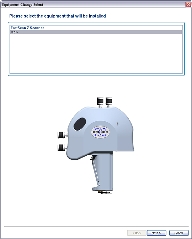
(Hover over the image to view larger)
|
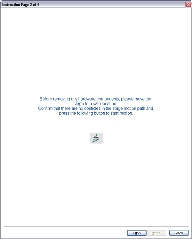
(Hover over the image to view larger)

|
NOTE: The Next button will not be activated until you move the stage to a safe position using the Move Stage button.
NOTE: You may not see this screen if the stage is already in the safe position.
|
|
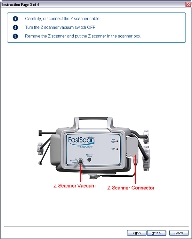
(Hover over the image to view larger)
|
To remove the Z scanner:
|
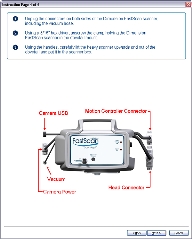
(Hover over the image to view larger)
|
To remove the Dimension FastScan scanner:
CAUTION: The Z scanner apparatus is expensive and fragile. NEVER place the Dimension FastScan scanner down in such a way that the Z scanner comes into contact with the table. Lower the Dimension FastScan scanner onto the table with the labeled front piece facing upward.
|
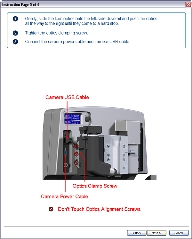
(Hover over the image to view larger)
|
To connect the optics assembly:
CAUTION: Be very careful to adjust only the optics clamping screw. It is the middle of 3 screws located on the optics assembly. Turning the other screws could move the system optics out of alignment.
|
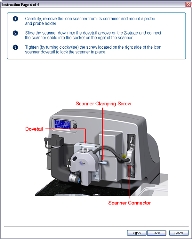
(Hover over the image to view larger)
|
To connect the Dimension Icon scanner:
NOTE: Dovetail engagement actuates with a spring. Failing to engage the spring-loaded dovetail causes a large increase in image noise due to reduced rigidity of the mechanical support of the scanner.
|
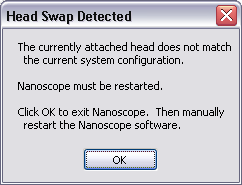
NOTE: You will need to initialize the stage when NanoScope restarts. Click OK in the dialogue that appears.
|
| www.bruker.com | Bruker Corporation |
| www.brukerafmprobes.com | 112 Robin Hill Rd. |
| nanoscaleworld.bruker-axs.com/nanoscaleworld/ | Santa Barbara, CA 93117 |
| Customer Support: (800) 873-9750 | |
| Copyright 2010, 2011. All Rights Reserved. |
 Related Topics