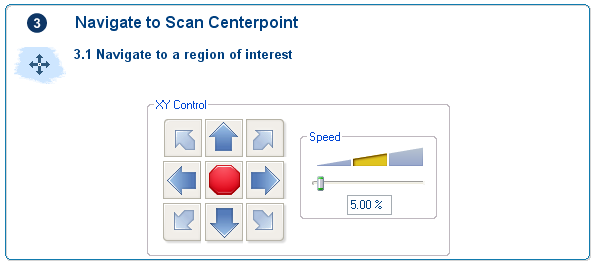
The Navigate to Scan Centerpoint panel allows the user to move sample surface underneath the probe. The system can then engage on a region of interest chosen by the user.
The XY software control buttons move the XY stage under the probe tip in the direction of the arrow. The stage speed can be determined using the controls on the right hand side.
Return to Navigate View
| www.bruker.com | Bruker Corporation |
| www.brukerafmprobes.com | 112 Robin Hill Rd. |
| nanoscaleworld.bruker-axs.com/nanoscaleworld/ | Santa Barbara, CA 93117 |
| Customer Support: (800) 873-9750 | |
| Copyright 2010, 2011. All Rights Reserved. |